Instagram Size Checker (FREE TOOL)
Drop one image in and see, for every Instagram format, whether it is kept, cropped or too small, with the crop drawn on your photo. Then download the fixed file.

Upload photo
Runs in your browser. Your photo is never uploaded or stored.
Nothing to fix
Drop the photo to download a fixed file.
The short answer
- An Instagram size checker tells you what Instagram will do to one specific file before you post it.
- Instagram keeps a photo as it is when it is 320 to 1080 pixels wide and its shape is between 1.91:1 and 3:4, which at 1080 wide is 566 to 1440 pixels tall (Instagram Help Center). Wider is sized down to 1080, narrower is enlarged to 320, and any other shape is cropped.
- 1080 × 1350 (4:5) is the safe pick for a feed post, and 1080 × 1440 (3:4) is the tallest.
- A 4:3 phone photo is inside the range, so Instagram posts it whole.
Get Selzee's guides in your Google results.
Add Selzee as a preferred sourceHow to check an Instagram image
-
Drop one image in
Choose a JPG, PNG or WebP, or press Try an example. The browser reads its size, so nothing is uploaded.
-
Read the top line
It says what Instagram does to your file as a feed post: keeps it, sizes it down, enlarges it or crops it.
-
Pick your format
Eight tiles, one per format, each with its output size and a verdict. Select the one you are posting.
-
Check the crop
The preview draws Instagram's crop on your own photo for the selected format, with the safe-zone bands on Story and Reel.
-
Download the fix
The one Download fixed file button saves the selected format as a JPG at the size Instagram keeps.
What each verdict means and what to do
Each tile shows the format, the output size and a verdict. Under the preview, action lines such as the safe-zone band note come first, then Download. The fix is a JPG made in your browser.
Kept as is
Post it. Instagram keeps the file at its own resolution, and the tile says Nothing to fix. Already this shape and Fills the screen mean the same.
Sized down to 1080 wide
Post it, or download the 1080 wide copy so the resampling happens where you can see it.
Cropped
The preview shows the cut and the share you lose. Download the centred crop, or pick it yourself in the Instagram image resizer.
Enlarged to 320 wide
Start from a bigger original. Enlarging a small file adds no detail, so it stays soft.
Cropped to fill, on Story and Reel
Download the 9:16 crop, or fit the whole photo on a fill in the resizer. The bands are drawn, not judged: no tool can read your text.
Instagram publishes a range, not a size
Instagram publishes a range, not a size: a photo is kept as it is when it is 320 to 1080 pixels wide and its shape is between 1.91:1 and 3:4 (Instagram Help Center). At 1080 wide, that is any height from 566 to 1440 pixels. A size chart prints one number from inside that range and leaves you to guess where it came from.
The checker tests the shape before the width, because Instagram crops to a supported shape before it resizes. A 4000 pixel panorama is a crop problem, and fixing its width would not save it.
Story and Reel follow separate rules, covered below. The Instagram post size guide lists every surface, and the carousel guide covers building a set. The story size checker draws the story crop and its safe zone, and a picture split across your profile is a job for the Instagram grid maker.
Organic posts and ads are not the same spec
This checker is for organic posts, which is what the 1080 ceiling belongs to. Paid creative runs on Meta's ad specs, which ask for larger files: the Instagram feed ads guide recommends 1440 × 1800 for a 4:5 image. Both are correct. Mixing the two up is how a team exports ad-sized files for the grid.
Why other checkers fail a photo Instagram keeps
Some free checkers mark a 4:3 photo, straight off an iPhone, as the wrong size. Instagram keeps it: 1.33:1 is inside its range (Instagram Help Center). A checker that accepts only 4:5, 3:4, 1:1 or 1.91:1 fails every shape in between, and that includes a phone's default landscape photo. This checker tests the range Instagram publishes, so a 4:3 photo gets the verdict Instagram would give it.
Of the 10 free checkers we tried on 30 September 2026, 3 marked a 4032 × 3024 photo wrong or in need of a crop, and none stated Instagram's range. The test is described in how we checked these figures.
A worked example: an iPhone photo
-
The file: 4032 × 3024
A photo straight off an iPhone. The checker reads those two numbers and nothing else.
-
The shape: 1.33, inside the range
4032 divided by 3024 is 1.33, between 0.75 and 1.91. Nothing is cropped.
-
The width: nearly four times the ceiling
4032 is over 1080, so Instagram sizes the whole photo down. The verdict reads Sized down to 1080 wide.
-
The fix: 1080 × 810
1080 divided by 1.33 is 810. Download that file, or export it yourself at 1080 × 810.
-
The other tiles
On this photo, 1:1 cuts 25% of the width, 4:5 cuts 40% and Story cuts 58%. You don't need any of them to post it.
Instagram sizes by format
One row per format. Instagram publishes ranges for the feed and Reels; most single sizes are convention, and each row says which. Every other platform is in the social media image size checker.
| Format | Size | Shape | Where it shows | Official or convention | Source |
|---|---|---|---|---|---|
| Feed photo range | 320 to 1080 wide, 1080 × 566 to 1080 × 1440 | 1.91:1 to 3:4 | Feed | Official | Instagram Help Center |
| Feed square | 1080 × 1080 | 1:1 | Feed | Size is convention, shape is inside the official range | Instagram Help Center |
| Feed portrait | 1080 × 1350 | 4:5 | Feed | Size is convention, shape is inside the official range | Instagram Help Center |
| Tallest feed post | 1080 × 1440 | 3:4 | Feed | Official ceiling | Instagram Help Center |
| Widest feed post | 1080 × 566 | 1.91:1 | Feed | Official limit | Instagram Help Center |
| Story | 1080 × 1920 | 9:16 | Stories, full screen | Size is convention | Meta ads guide |
| Reel | 1080 × 1920 | 9:16 | Reels, full screen | Size is convention. Reels accept 1.91:1 to 9:16 at 720 pixels or more: official | Instagram Help Center |
| Reel cover | 420 × 654 | 1:1.55 | Reel cover | Official recommendation, not editable after upload | Instagram Help Center |
| Profile picture | 320 × 320, shown as a circle | 1:1 | Profile | Convention, widely cited, not published by Instagram. The profile picture size checker labels every figure | Instagram Help Center (gives no size) |
| Profile grid window | 3:4 tile | 3:4 | Profile grid | Since January 2025 (announced by Adam Mosseri on Threads), not on an Instagram help page | Kapwing |
Specs checked 30 September 2026. Meta lists 9:16 for stories and reels.
Story and reel safe zones
Meta's ads guidance is to keep roughly 14% of the top, 35% of the bottom and 6% of each side of a Story or a Reel free of text and logos: about 269, 672 and 65 pixels on a 1080 × 1920 file (Stories ads guide, Reels ads guide). It is ads guidance and approximate: Instagram publishes no organic safe-zone page.
The checker draws these bands on the Story and Reel tiles, and only there. They are drawn, not judged: no tool can read your text, so you decide whether it sits clear of them. For what to put in the middle, see the Instagram story ideas.
Why check before you post
Instagram publishes its rule. Four things follow from it that most exports get wrong.
Exporting bigger does not buy quality
Instagram uploads at the best resolution possible up to 1080 pixels wide (Instagram Help Center). Anything larger is sized down out of your sight.
1080 × 1350 is not the tallest option
The ceiling is 3:4, or 1080 × 1440, which most charts do not list: 90 more pixels of height.
A story file in the feed loses a quarter
A 1080 × 1920 file keeps 1440 of its 1920 pixels of height, and you drag the crop to pick which quarter goes.
A small file is enlarged, and it shows
Anything under 320 pixels wide is enlarged to 320, which adds no detail. That is why an old logo looks soft.
Who this checker is for
Anyone who posts from a design tool
Canva, Figma and Photoshop all offer sizes Instagram changes on upload. One check before posting settles which export to pick.
People posting phone photos
A phone photo is almost always in range and almost always too wide. The download sizes it down before Instagram does.
Designers handing files to someone else
The person posting is rarely the person who made it. A check before handover stops the round trip.
Brands reusing story artwork in the feed
Story artwork is the wrong shape for the feed. The preview shows what the feed keeps before it goes out.
Instagram size: FAQ
What size is an Instagram post?
What is the best size for an Instagram post?
Does exporting at a bigger size give better quality?
What happens if my aspect ratio is outside the range?
Can the checker fix my file for me?
What is the Instagram carousel size?
What size should a story or a reel be?
Is a 4:3 photo the right size for Instagram?
What is the Instagram profile picture size?
What is the Instagram story safe zone?
Is 4:5 or 3:4 better for the profile grid?
How we checked these figures
Last checked: 30 September 2026. Every rule on this page comes from Instagram's own help pages (feed photos, Reels) and from Meta's safe-zone guidance (Stories ads guide, Reels ads guide), read at the source that day, not from other size charts. Convention and third-party figures are labelled.
To compare checkers, we opened 10 free ones on 30 September 2026 and dropped the same 4032 × 3024 photo into each.
We ran this checker on a 4032 × 3024 phone photo on 30 September 2026: all 8 formats matched the figures worked out by hand.
- Shape and width range: from the feed photo page.
- Crop per format: a centred cut to each format's shape; the tile shows how much is cut.
- Safe zones: Meta's ads guidance, drawn on Story and Reel only.
- Labels: official, convention or third-party on every size.
Keep exploring
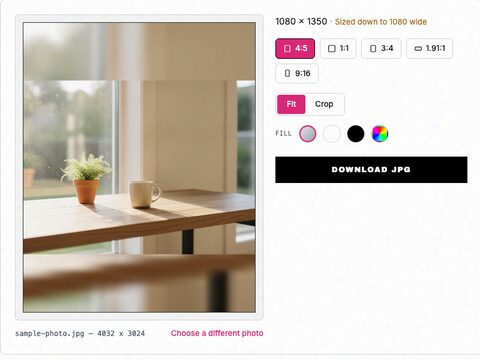
Free Instagram image resizer. Pick 1:1, 4:5, 3:4, 1.91:1 or 9:16, fit the whole photo or crop it, and download it at the exact size Instagram keeps.
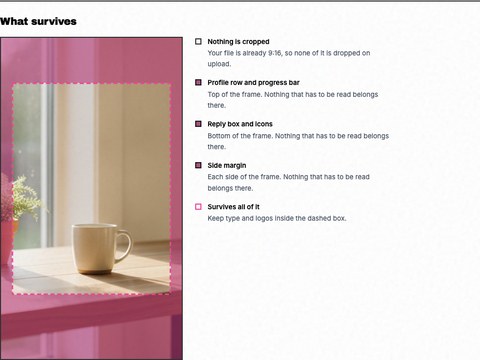
See the 9:16 crop and the safe zones the profile row and reply box cover, drawn on your own story. Nothing is uploaded.
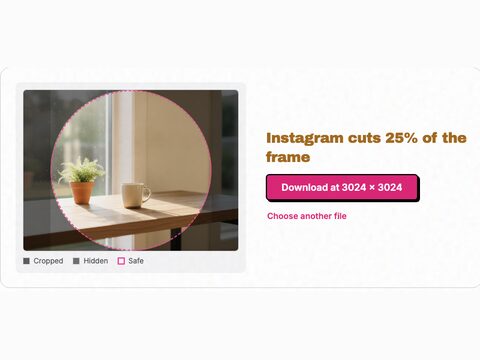
Drop your photo in and see what the round crop hides. Instagram publishes no size, so every figure is labelled. Nothing is uploaded.
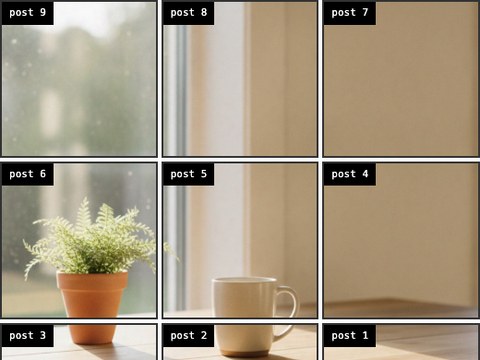
Split one photo across your profile grid, numbered in the order you post them so the picture assembles the right way up. Nothing is uploaded.
Start posting more than you planned to
The checker is free, with no signup and no credit card. When you want the thing in the frame to come from your own audience, start free.
Get started for free